Queryline 1.2.4: Pinned Tables, Connection Colors, and Better Query Feedback
Queryline 1.2.4 improves everyday database work with pinned tables, connection colors, sidebar reloads, multiple query execution, and clearer feedback for update queries.
Queryline 1.2.4 is focused on the small pieces of database work that add up over a day: finding the same table again, knowing which connection you are using, refreshing the sidebar after schema changes, and getting clear feedback when a query changes data.
This release closes a handful of workflow issues and makes the app feel more direct when you are moving between tables, tabs, and connections.
Clear Feedback for Update Queries
Update, insert, and delete queries now show a proper success state even when there is no result grid to display. Instead of an empty panel after running a mutation, Queryline shows that the query executed successfully and reports the affected row count.
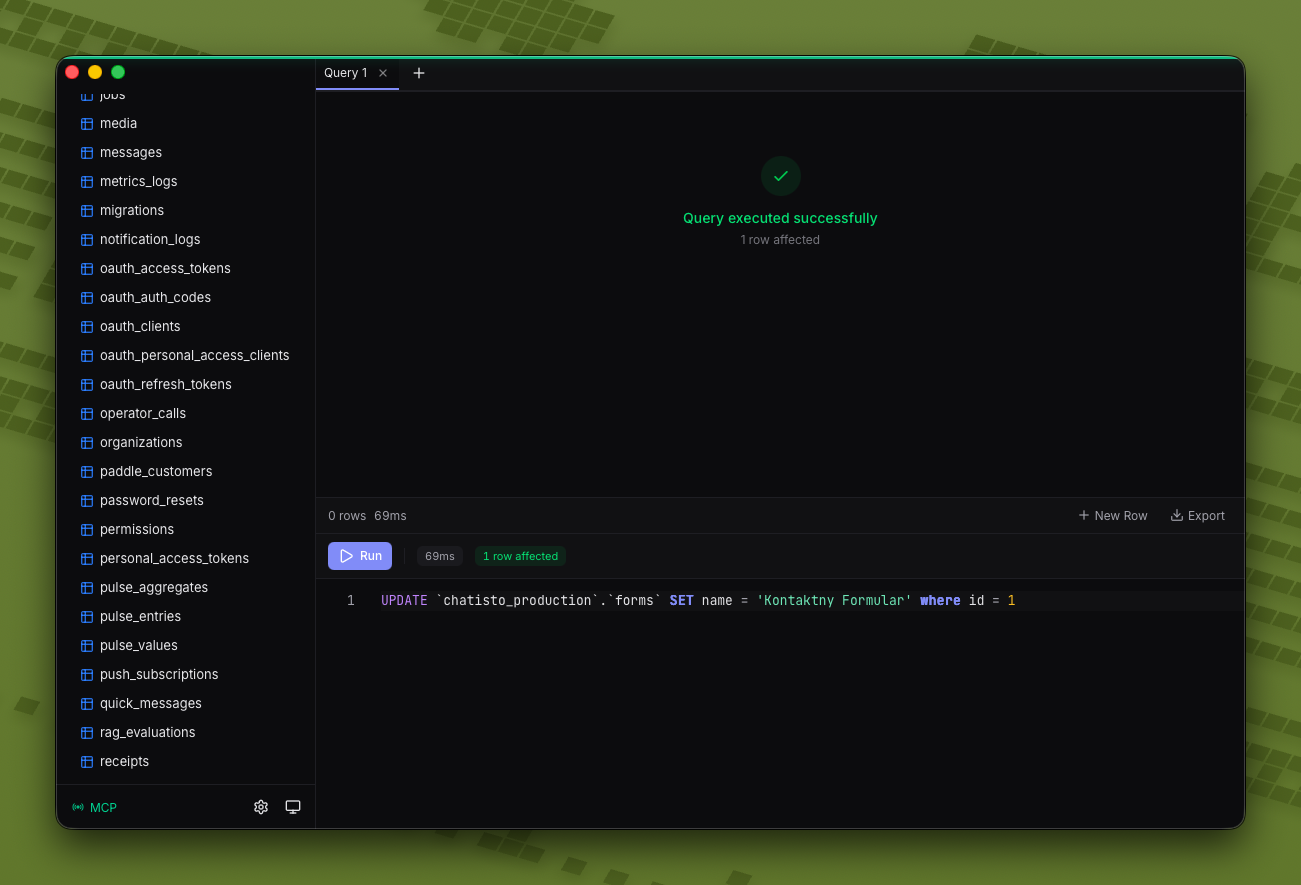
That makes it easier to confirm that a write query actually ran, especially when you are making a quick edit and do not want to run a follow-up select just to verify the command completed.
Pin Important Tables
You can now pin important tables in the sidebar. Pinned tables stay visible near the top of the connection, so the tables you use constantly do not get buried in a long schema.
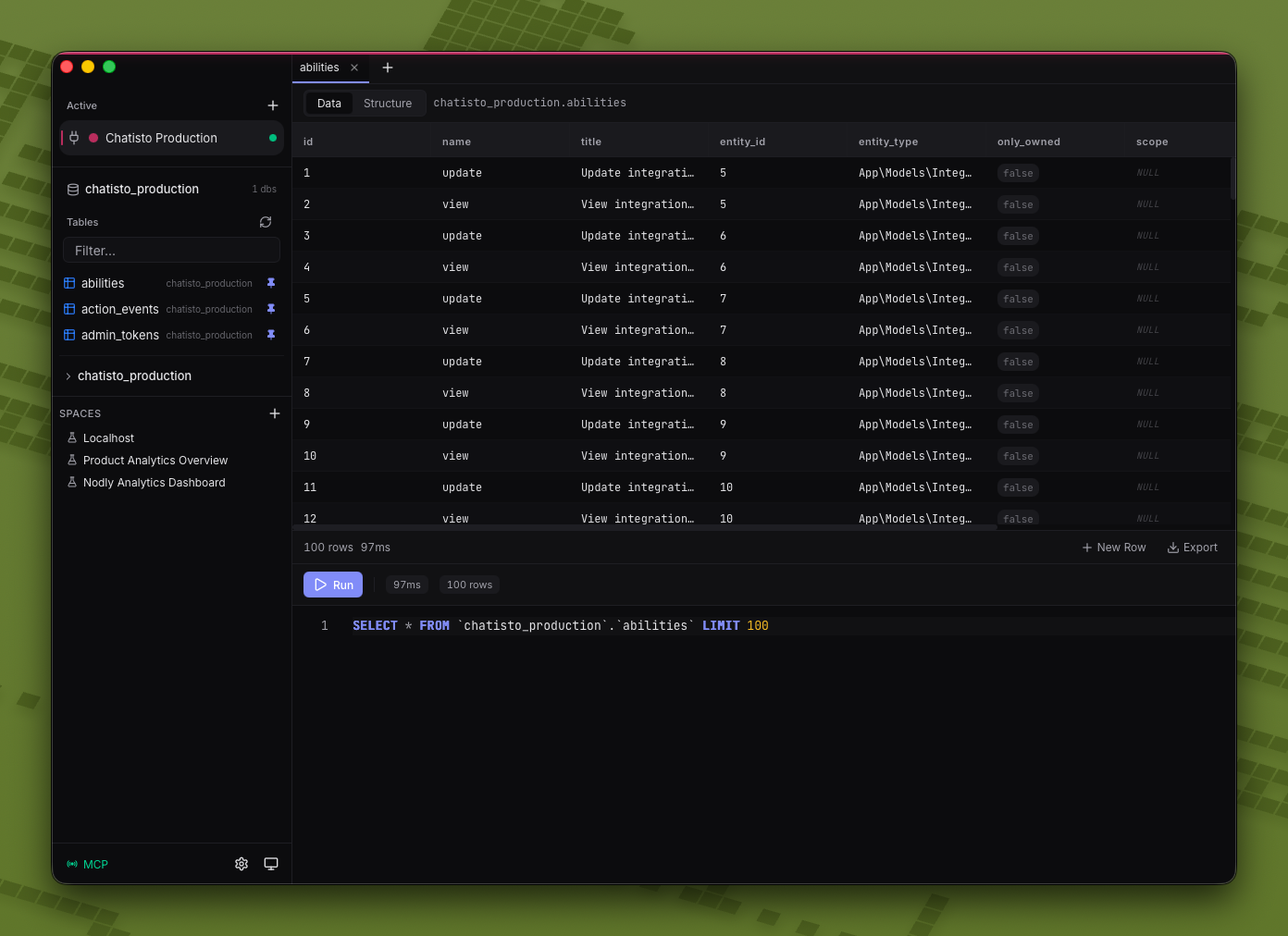
This is useful for production databases with dozens or hundreds of tables where you keep coming back to the same handful: users, orders, events, jobs, logs, or whatever your app depends on most.
Connection Colors
Connections can now be color coded. The selected color appears in the connection list and sidebar, giving you a faster visual cue for the database you are working in.
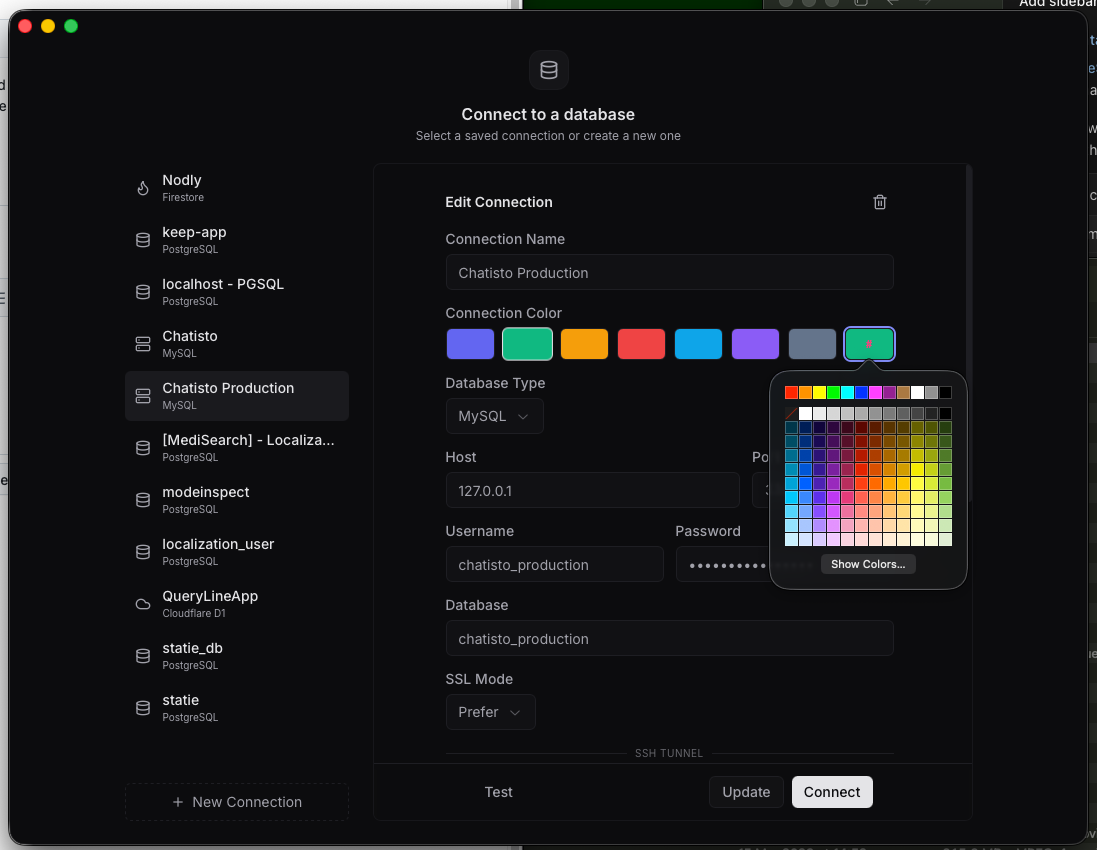
This is especially helpful when you keep local, staging, and production connections side by side. A small color signal is often enough to prevent opening the wrong environment by habit.
Reload Tables from the Sidebar
The sidebar now has a reload action for tables. If a migration adds a table, renames one, or changes the shape of your schema, you can refresh the table list without reconnecting or restarting the app.
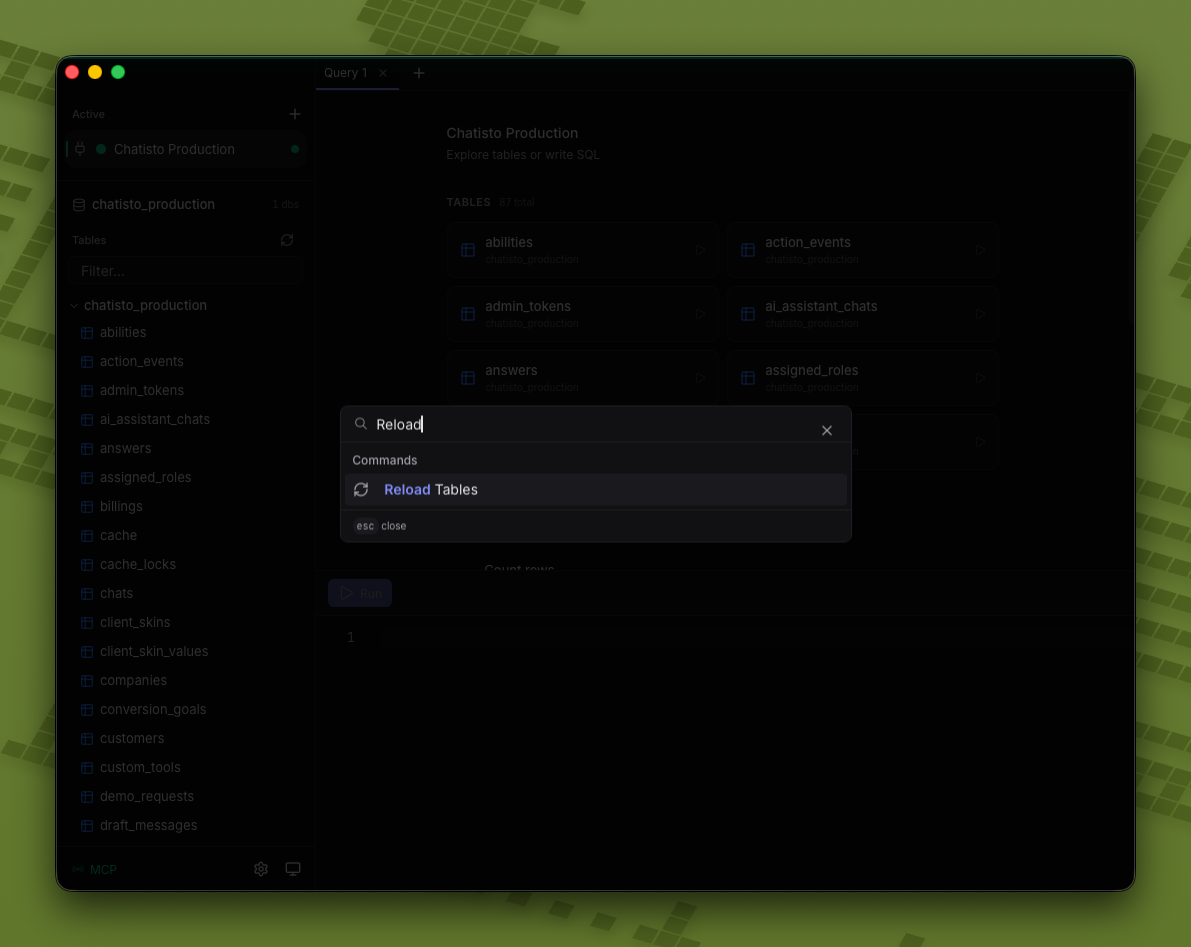
It is a small command, but it removes a common interruption when you are actively developing against a database.
Run Multiple Queries at Once
Queryline 1.2.4 also improves running multiple queries together. You can send a batch of statements from the editor and keep working without splitting every statement into its own tab first.
That makes scratch work faster: inspect a table, update a row, check the result, and run cleanup statements from the same editor flow.
Table Discovery Improvements
The connection overview continues to show tables as quick launch targets, and the sidebar keeps the full list close by for deeper browsing.
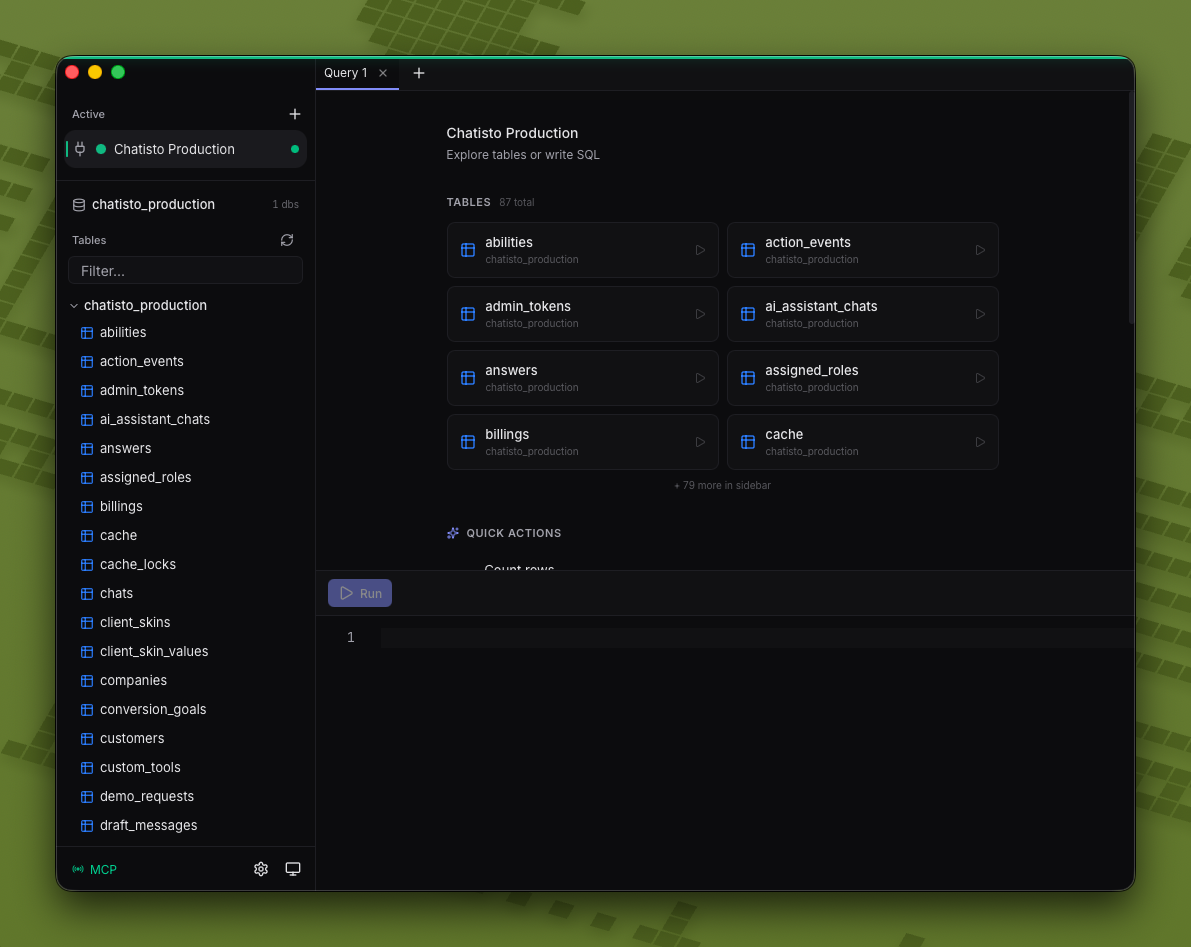
Together with pinned tables and reload support, 1.2.4 makes table navigation feel more predictable in larger databases.
What's Included
- Clear success feedback for update queries with affected row counts
- Sidebar table reload action
- Pinned tables for important or frequently used tables
- Connection color coding
- Better support for running multiple queries at once
Upgrade to 1.2.4
If you already have Queryline installed, update to 1.2.4 from the app. If you are new to Queryline, download it from the homepage and connect your first PostgreSQL, MySQL, SQLite, Firestore, or Cloudflare D1 database.
This release is about speed in the everyday sense: fewer unnecessary clicks, clearer state, and a sidebar that keeps up with the way you actually work.